Sunday, January 20, 2013

Mozilla, Internet Explorer and Chrome Shortcut Keys For Facebook


You can start surfing facebook faster only using the the following list of Keyboard Shortcuts for Mozilla Firefox, Internet Explorer and Google chrome:

Mozilla Firefox Facebook Shortcuts:

New Message: Shift + Alt + m

Search Box: Shift + Alt + ?

Help center: Shift + Alt + 0

Home page: Shift + Alt + 1

Profile page: Shift + Alt + 2

Friend request: Shift + Alt + 3

Message if any: Shift + Alt + 4

Notifications: Shift + Alt + 5

Account Settings: Shift + Alt + 6

Privacy Settings: Shift + Alt + 7

Official Facebook page: Shift + Alt + 8

Service Agreement: Shift + Alt + 9

Like/Unlike Photos in Lightbox mode: L

Internet Explorer Facebook Shortcuts:

New Message: Alt + m + Enter

Search Box: Alt + ? + Enter

Help center: Alt + 0 + Enter

Home page: Alt + 1 + Enter

Profile page: Alt + 2 + Enter

Friend request: Alt + 3 + Enter

Message if any: Alt + 4 + Enter

Notifications: Alt + 5 + Enter

Account Settings: Alt + 6 + Enter

Privacy Settings: Alt + 7 + Enter

Official Facebook page: Alt + 8 + Enter

Service Agreement: Alt + 9 + Enter

Like/Unlike Photos in Lightbox mode: L + Enter

Google Chrome Facebook Shortcuts:

New Message: Alt + m

Search Box: Alt + ?

Help center: Alt + 0

Home page: Alt + 1

Profile page: Alt + 2

Friend request: Alt + 3

Message if any: Alt + 4

Notifications: Alt + 5

Account Settings: Alt + 6

Privacy Settings: Alt + 7

Official Facebook page: Alt + 8

Service Agreement: Alt + 9

Like/Unlike Photos in Lightbox mode: L

How to delete your Facebook account permanently


Note: Deleting your Facebook account is a permanent action, and it cannot be undone. Make sure you have backed up any important data or information you want to keep before proceeding.

  1. Log in to your Facebook account: Go to Facebook and log in using your email address and password.


  1. Backup your data: Before you delete your account, you may want to download a copy of your Facebook data. This includes your posts, photos, videos, messages, and more. To do this:
    • Click the downward arrow in the upper-right corner of Facebook (on the desktop version).
    • Select "Settings & Privacy" > "Settings."
    • In the left sidebar, click "Your Facebook Information."
    • Click "Download Your Information."
    • Choose the data you want to download and set other options.
  2. Click "Create File." Facebook will notify you when your data is ready to download.


  1. Deactivate your account: If you're not ready to delete your account permanently but want to take a break from Facebook, you can deactivate it temporarily. To do this:
    • Click the downward arrow in the upper-right corner of Facebook (on the desktop version).
    • Select "Settings & Privacy" > "Settings."
    • In the left sidebar, click "Your Facebook Information."
    • Click "Deactivation and Deletion."
    • Choose "Deactivate Account" and follow the on-screen instructions.


  1. Delete your account: If you're sure you want to permanently delete your Facebook account, you can initiate the process as follows:
    • Click the downward arrow in the upper-right corner of Facebook (on the desktop version).
    • Select "Settings & Privacy" > "Settings."
    • In the left sidebar, click "Your Facebook Information."
    • Click "Deactivation and Deletion."
    • Choose "Delete Account" and follow the on-screen instructions.


Facebook will ask you to confirm your decision and may require you to enter your password. After confirming, your account will be deactivated for a few days before it is permanently deleted. During this period, you can cancel the deletion request by logging in to your account.

Remember that once your account is deleted, you won't be able to retrieve any of your data, and your Facebook profile will be gone permanently. Make sure you've backed up any important information you want to keep and that you're certain about your decision before proceeding.


I hope you find this article helpful for you.

Saturday, January 19, 2013

Facebook Symbols List

You may want to start using text symbols on your Facebook status updates or comments, and even instant messaging, here's a list of text symbols that you can copy paste and use:


☮ ✈ ♋ ☠ ☯ ♥ ✌ ✖ ☢ ☣ ☤ ❤ ❥ ❦ ❧ ♡ ✗ ✘ ♒ Ω ♦ ♠ ♥ ♣ ♢ ♤ ♡ ♧ ✦ ♔ ♕ ♚ ♛ ★ ☆ ✮ ✯ ☾ ☽ ☼ ☀ ☁ ☂ ☃ ☺ ♪ ♫ ♬ ✄ ✂ ✆ ✉ ∞ ♂ ♀ ☿ ▲ ▼ ₪ ✓ ✔ ✕ ☥ ☦ ☧ ☨ ☩ ☪ ☫

™ © ® ℗ ¿¡ № ∃ ⊥ ∀ ☹ ∞ ⌘ 文 ⑂ ஜ ๏ ツ ッ シ Ü 

☯ ✈ ☤ ✏ ✎ ✐ ✍ ☚ ☛ ☜ ☝ ☞ ☟ ✙ ✚ ✛ ✜ ✝ ✞ ✠ ❂ ⋆ ✢ ✣ ✤ ✥ ✦ ✩ ✪ ✫ ✬ ✭ ✮ ✯ ✰ ★ ✱ ✲ ✳ ✴ ✵ ✶ ✷ ✸ ✹ ✺ ✻ ✼ ❄ ❅ ❆ ❇ ❈ ❉ ❊ ❋ ✉ ☏ ☎ ✆ ♨ ☬ ✄

 ½ ⅓ ¾ ⅔ ⅕ ⅖ ⅗ ⅘ ⅙ ⅚ ⅛ ⅜ ⅝ ⅞ 
Ⅰ Ⅱ Ⅲ Ⅳ Ⅴ Ⅵ Ⅶ Ⅷ Ⅸ Ⅹ Ⅺ Ⅻ ⅰ ⅱ ⅲ ⅳ ⅴ ⅵ ⅶ ⅷ ⅸ ⅹ 
➀ ➁ ➂ ➃ ➄ ➅ ➆ ➇ ➈ ➉ 
➊ ➋ ➌ ➍ ➎ ➏ ➐ ➑ ➒ ➓ 
ⓐ ⓑ ⓒ ⓓ ⓔ ⓕ ⓖ ⓗ ⓘ ⓙ ⓚ ⓛ ⓜ ⓝ ⓞ ⓟ ⓠ ⓡ ⓢ ⓣ ⓤ ⓥ ⓦ ⓧ ⓨ ⓩ 


✈ ★ ☀ ღ ☃ ♫ ✌ ☮ ☯ ☢ ☻ ❀ ☂ ☎
☠ ♣ ☞ ✔ ✘ ♂ ♀ ✄ ☧ ✡ ♞ ❣ ❦


╰☆╮ ✡ ❤ ♥ ❣ ❥ ❦ ❧ ღ ɞ ♡ -‘๑’- 

✾ ✿ ❀ ❁ ❃ ❋ ♪ ♫ ♩ ♬ ♭ ♮ ♯ ° ø ⊙ ☉ ❣ ✉ ✍ ✎ ✏ ✐ ☑ ☐ ☒ ␟ ␘ ❢ ➟ ➡ ➢ ➣ ➤ ➥ ➦ ➧ ➨ ➚ ➘ ➙ ➛ ➜ ➝ ➞ ➸ ♐ ➲ ➳ ➳ ➴ ➵ ➶ ➷ ➸ ➹ ➺ ➻ ➼ ➽ ← ↑ → ↓ ↔ ↕ ↖ ↗ ↘ ↙ 

Feel free to share with your friends !

Sunday, January 13, 2013

How to change your Facebook password

If you ever feel insecure about loosing your password or you think that you're hacked, in this case you need to change your password in order to do that go first log in to your Facebook account with the old e-mail and password:

1 Click the gear buttonand select Account Settings.


2 Look for the password option and click Edit to the far right.


3 Enter your new Facebook account password and re-write it again then click Save Changes.


Now your password has been changed successfully, and if you ever forget to log in with new password next time, you'll be reminded that you've changed your password at a certain time.

I hope you find this article helpful for you.

Sunday, January 6, 2013

Facebook Heartbreak Quotes


“I don't know which I would rather believe... that you never did care or that you eventually stopped.”

“While I was holding on all you did was let go.”

“The best way to mend a broken heart is time and girlfriends.”  ~Gwyneth Paltrow

“We must embrace pain and burn it as fuel for our journey.”  ~Kenji Miyazawa

“If you're going through hell, keep going.”  ~Winston Churchill

“The heart was made to be broken.” ? Oscar Wilde

“Ever has it been that love knows not its own depth until the hour of separation.” ? Khalil Gibran

“Sometimes it's better to be alone. No one can hurt you that way.”

“My biggest mistake wasn’t falling for you. It was thinking you had fallen for me too.”

“Pain makes you stronger. Fear makes you braver. Heartbreak makes you wiser.”

“Real loss only occurs when you lose something you love more than yourself.”

“I wish I saved all the tears I cried for you so i could drown you in them.”

“When someone breaks your heart, someone else is waiting to fix it.”

“You start to get hurt the moment you begin to care.”

“A heartbreak is by far the worst thing ever. Emotions are not meant to be played with.”

“No man is rich enough to buy back his past.” ~Oscar Wilde

“Life without you is like a broken pencil. There is no point.” 

“There's only one "reason" a man dumps you; he doesn't want you.” 

“It seems to me that the harder I try the harder I fall.” 

“Wherever you go, whatever you do, don't say I never loved you.” 

Facebook Friendship Quotes

Facebook Friendship Quotes


“Everyone hears what you say. Friends listen to what you say. Best friends listen to what you don't say.”

“When times get rough you'll find out who your real friends are.”

“A real friend is one who walks in when the rest of the world walks out.”

“A friend in need is a friend indeed.”

“A friend is one who believes in you when you have ceased to believe in yourself.”

“I might give my life for my friend, but he had better not ask me to do up a parcel.”

“To be depressed is to be lonely; to have a friend is to be happy...”

“The best way to love anything is to realize that it might be lost.”

“The trouble is not so much dying for a friend, it is finding a friend worth dying for.”

“What are friends for, if you can't use them.”

“Through life we suffer. Through friends we never have to suffer alone.”

“Life without a friend is like death without a witness.”

“It is better to be in chains with friends , than to be in a garden with strangers.”

“Don't walk behind me; I may not lead. Don't walk in front of me; I may not follow. Just walk beside me and be my friend.”

“A friend is someone who knows all about you and still loves you.”

“The truth is, everyone is going to hurt you. You just got to find the ones worth suffering for.”

“Life is an awful, ugly place to not have a best friend.”

“I would rather walk with a friend in the dark, than alone in the light.”

“A friend to all is a friend to none.”

“Never explain, your friends do not need it and your ennemies won't believe it.”


Tuesday, January 1, 2013

Editing your Facebook Profile


As you start connecting on Facebook for the first time, you must start with building your own Facebook Profile that allows your friends in real life to find you and connect with you on Facebook, your Facebook profile must include different informations about you, so while filling out your personal informations you must be careful about which personal informations you want to share and which not, you must also remember that you need to modify your privacy controls for some of your private informations in order to secure yourself from any misuse.

Editing Your Profile

Go to facebook.com and log in with the registered e-mail and password. 

To start editing your profile go to your Profile page and click on the left box About link under your profile picture, or click on Edit Profile button back out on the Welcome page.

Info page will show up on your screen, where you should edit your personal informations by clicking on Edit on one of the sections displayed (while editing the informations you can leave any of the fields blank as you want).

Work and Education

Living

Relationship and Family

About You

Favorite Quotations

Basic Info

Contact Info


Work and Education:

This section enables you to add more details about your occupation, graduation, class year..ect, When you first created your account you may have added your Work and Education informations, but if you skipped that step at the begginng, you can edit this section now by clicking on Edit at the top side of this box's corner.


Basic Information:

This section includes your basic informations such as your gender, birthday, relationship status..

  • Sex: From the drop-down list you choose whether you're male or female.
  • Birthday: If you accidentally gave Facebook the wrong date through your sign up process, you can change that here, and if you don't want to display your whole birthday, you can either select from the drop-down-list: “Show only month & day” or “Don’t show my birthday”.
  • Interested In: Check on one of the two boxes men or women, or both of them.
  • Languages: This will make it easier for people to contact you in different languages that you speak, for example: American English, Spanish.. ect.
  • Political views: Share your political opinion by indicating your best party, candidate, organization..ect, (you can add a description in which you explain more about your views). 
  • Religious Views: If you want to share a religious view, then start typing in the empty field and Facebook will give you suggestions you may choose, (you can add a description in which you explain more about your views). 


 Living:

  • Current City: Adding this piece of information can help your neighbors and friends find you.
  • Hometown: Adding this piece of information can help you find your old pals.


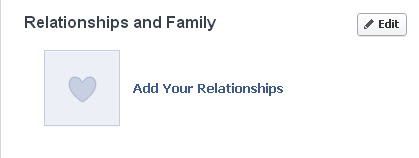
Relationships and Family:


  • Family Members: Here you can list any family member who's on Facebook by typing his or her name and then select a relativity from the drop-down list: Father, Oncle, brother ..ect, you can add as many people as you want by clicking on “Add another family member”.
  • Relationship Status: You can select any of the options from the drop-down list: married, single, you can also add your partner's name in the empty box, for example: married to.. in relationship with.. ,You can also use this option to mention your availability or unavailability for a new relationship.


About You:

In this empty text box you are free to speak more about yourself sharing your ideas and expressing your views about your life, beliefs, projects, things you wanna do..ect.


Contact Info: 

This is where you can keep in touch with your friends outside the social network, some these informations are not required by adding the contact informations below:


  • Emails: Click on the "Add / Remove Emails" link to add your e-mail address and to contact your Facebook friends via e-mail, or delete your previous e-mail address.
  • Mobile Phones/Other Phones: I don't recommend people to use their own number-phones on a Facebook profile, unless you want to set privacy settings to hide them from everyone by choosing Only Me or Personalize.
  • IM Screen Names: Add any messaging program address such as instant messaging (AIM, AOL) or MSN and Skype address so your friend will be able to contact you later without Facebook.
  • Address, City/Town, Zip, Neighborhood: You probably wouldn't like to share these specific details which includes your private residence and location on your Facebook profile.
  • Website: You can share as many Websites as you want with your friends by filling the empty box with your website URL.


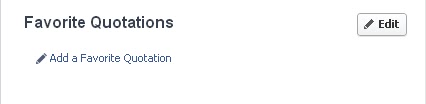
Favorite Quotations: 

Here you can add some inspiring Quotations that you'd like to share with you friends: poems, song lyrics.. ect.

Once you've finished filling the fields, click Save to save the perosnal informations or you can delete the changes by clicking on Cancel. If you want to make sure that your changes were fully saved on your profile click on View My Profile button.

Now you've built your first Facebook profile that will help your friends to find and connect with you, remember that you can always change or modify these personal data by clicking the Edit button at any time you want.

That's all, I hope you find this article helpful for you.